

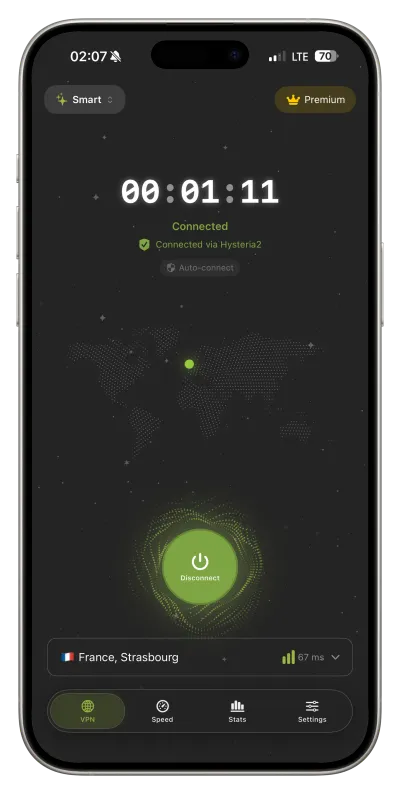
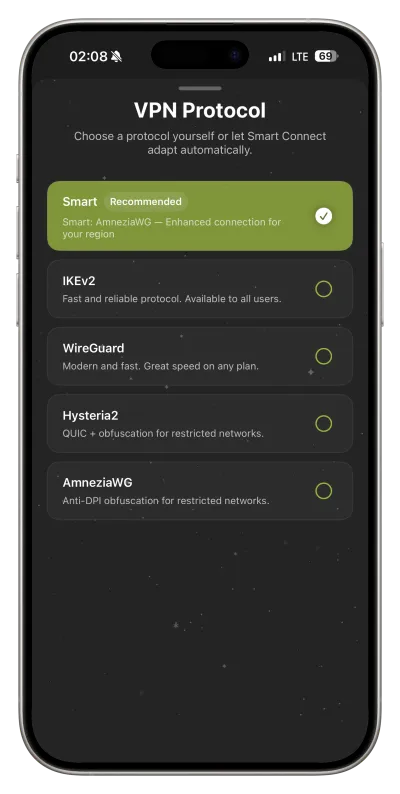
Smart Connect + 5 protocols
IKEv2, WireGuard, AmneziaWG, Hysteria2, and VLESS Reality. Smart Connect picks a path — or you choose the protocol yourself.
5 modern protocols and Smart Connect — fast, private connection on any network. Free with limits, or full Premium.
Premium from $3.33/mo · 3 days free on the annual planSpeed Test, DNS profiles, 5 protocols, and email / QR sign‑in on other devices. Free and Premium—without the fine print.
IKEv2, WireGuard, AmneziaWG, Hysteria2, and VLESS Reality. Smart Connect picks a path — or you choose the protocol yourself.
Mobile data, hotel or airport Wi‑Fi — Smart Connect picks the protocol that works best on your network: WireGuard, IKEv2 and more.
Weekly allowance, no card — test your networks before Premium.
Full phone VPN and browser on a laptop. Email code or QR sign‑in in seconds.
AdGuard, Cloudflare, or Google—pick blocking, speed, or compatibility.
Ping and speed right in the app — see which location is fastest for you.
Locations
Pick a low-latency location with stable speed — at home or while traveling.
 US
US United Kingdom
 Germany
 Netherlands
 France
 Finland
 Sweden
 Switzerland
 Poland
 Spain
Spain Italy
Italy Austria
 Belgium
 Denmark
 Norway
 Portugal
 Czechia
 Estonia
 Greece
 Hungary
 Romania
 Türkiye
 United Arab Emirates
 Israel
 India
India Japan
Japan South Korea
 Singapore
 Hong Kong
 Canada
 Brazil
 Australia
Five steps—from your phone to a protected connection online. Short and clear.
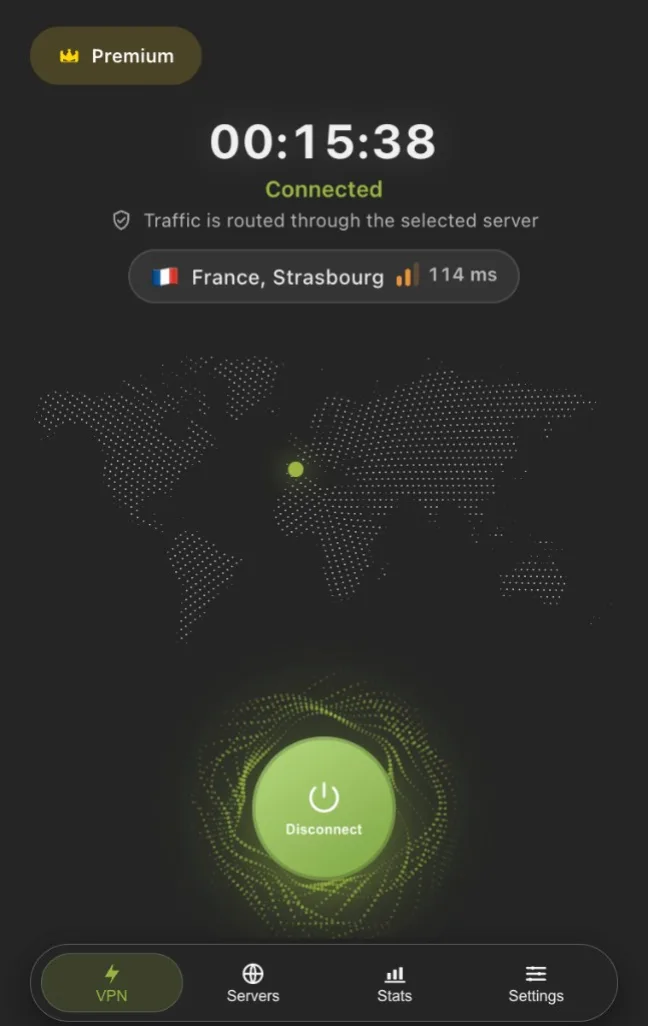
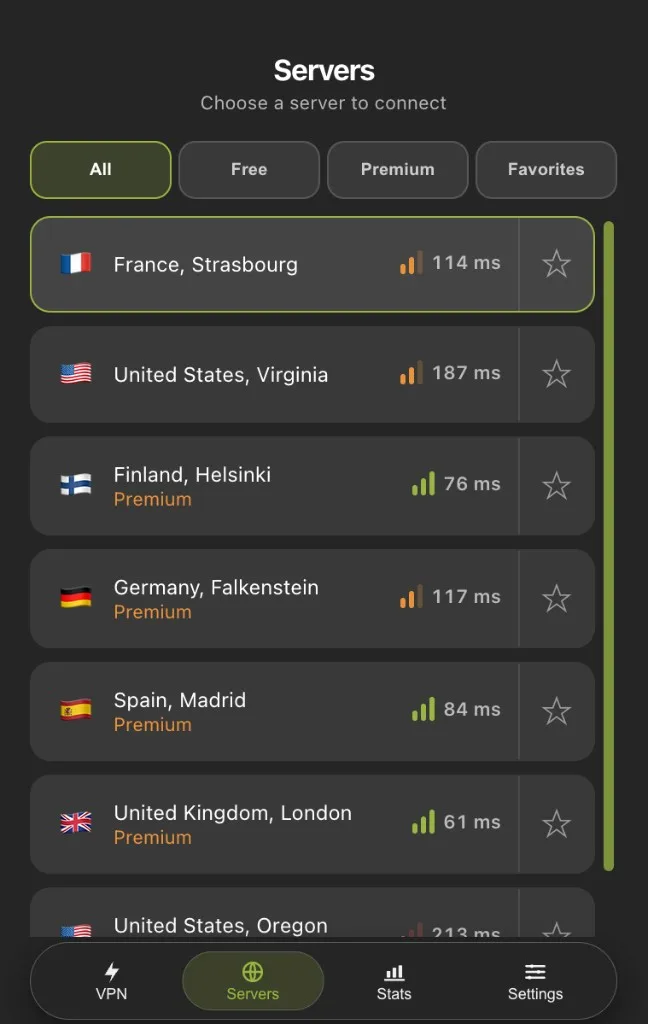
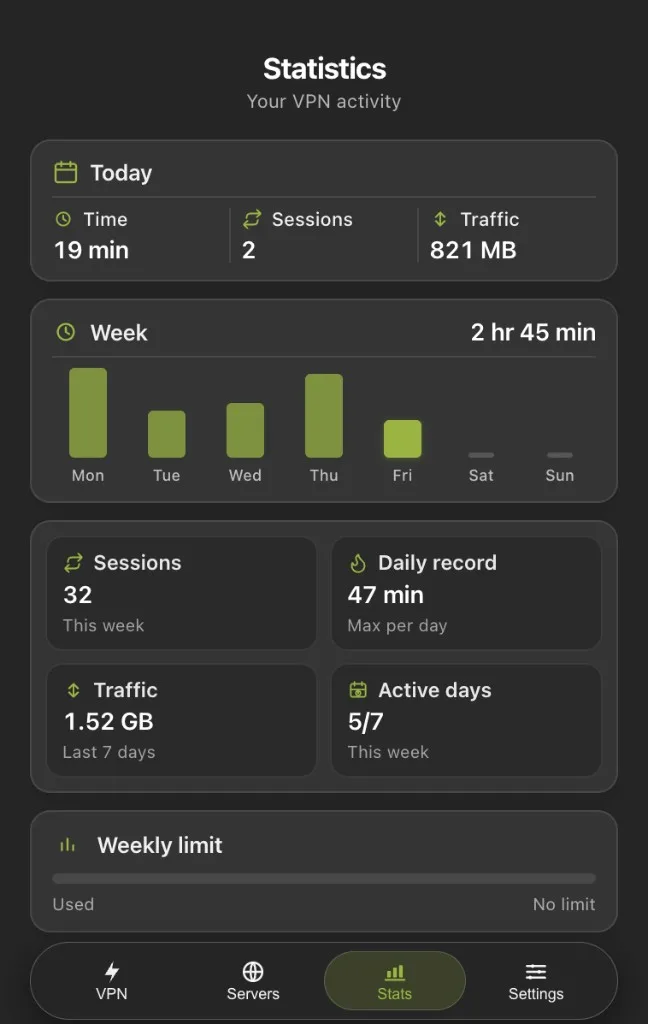
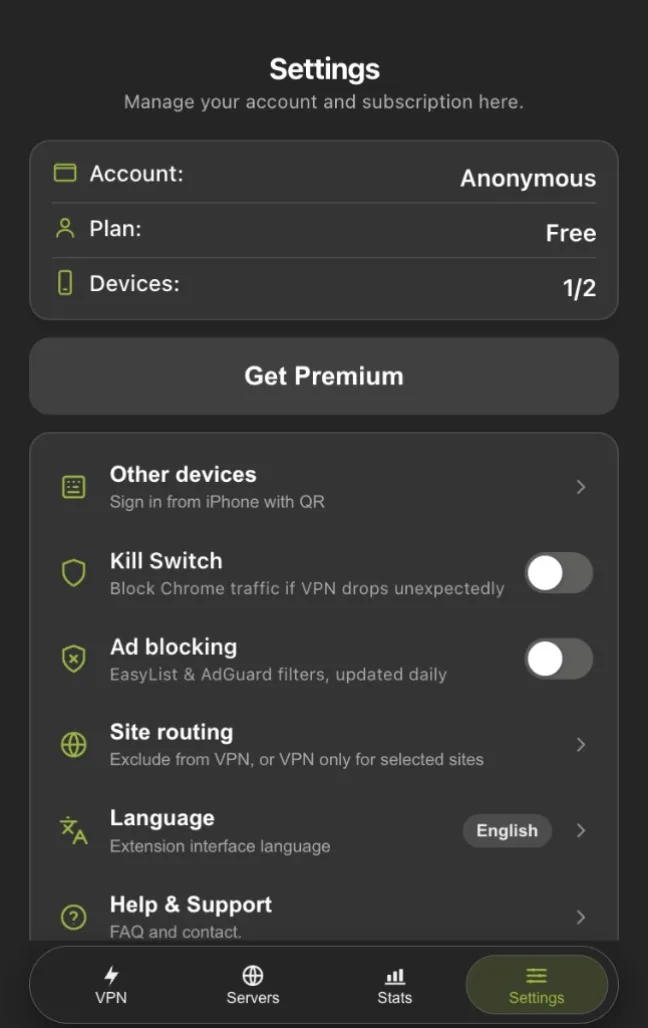
An extension popup with VPN, servers and stats. Kill Switch, ad blocking, site routing and QR sign-in from your phone. Free on the Chrome Web Store.
iOS, Android and Chrome — available now.
No named rivals and no made‑up scores—just what actually sets the product apart.
| What matters | Typical VPN | FollowNet |
|---|---|---|
| Price & Free | “Free” with harsh limits or hidden upsells | Honest Free + Premium—no fine print games |
| Protocols | One or two standards for everyone | 5 protocols, including WireGuard and VLESS Reality |
| Platforms | Many apps, uneven UX | One product: iOS, Android and Chrome |
| Other devices | Account + password on every device | Email code and QR from your phone in seconds |
| DNS & controls | A basic toggle and few settings | DNS profiles, Kill Switch, ad blocking, site routing |
| Marketing | Stars, “#1 VPN,” loud promises | Honest rating and what ships today |
A real VPN with a weekly cap — no card required.
Unlimited, all servers, up to 5 devices.
$39.99 billed for the first year
save ~33%
or in the app: App StoreGoogle Play
3 days free on the annual plan
Price in the app depends on your country and App Store or Google Play currency.
Short, useful articles about FollowNet, privacy, and VPN technology.
A full tour of what ships in the iOS app and Chrome extension — protocols, Smart Connect, Auto-connect, DNS, Network Profiles, widgets, Speed Test, and Free vs Premium.
ProductWhy FollowNet ships Hysteria2 alongside WireGuard, IKEv2, and AmneziaWG — and when Smart Connect should pick it.
ProductWhat FollowNet Free actually includes, when Premium is worth it, how weekly traffic works, and what we refuse to hide in a nine-point footer.
GuidesA short method: baseline without VPN, compare servers and protocols, and read results against your Free weekly limit.
GuidesA practical map of FollowNet protocols on iOS: speed, stability, and what to use when a network fights VPNs.
UpdatesNetwork Extension, entitlements, and review edges — why FollowNet stays an App Store native iOS client.
About Free and Premium, protocols, Smart Connect, Chrome, and connection — quick and clear.
Yes. Free includes all protocols (IKEv2, WireGuard, AmneziaWG, Hysteria2, VLESS Reality), Smart Connect, free servers, and a weekly traffic cap. Premium adds premium servers, unlimited traffic, and up to 5 devices.
Read more: Free VPN for iPhone · VPN for iPhone
Enter your email — we send a code, no password. On iPhone, Other devices can show a QR so you sign into Chrome or another phone in seconds.
Premium servers, unlimited traffic, and up to 5 devices per account. Subscribe through the App Store or on the website when web checkout is available.
Read more: Best VPN for iPhone
In settings you can pick AdGuard, Cloudflare, or Google DNS—for blocking, speed, or compatibility.
Read more: Custom DNS VPN
Open FollowNet VPN in the Chrome Web Store and click Add to Chrome. Sign in with the same account as on iOS; Premium status syncs through your account.
A 3-day free trial is available on the annual plan with your first Premium subscription in the App Store or Google Play (for eligible users). After the trial, the subscription auto-renews at the in-app plan price. Cancel any time before the trial ends: on iPhone — Settings → Apple ID → Subscriptions, on Android — Google Play → Payments & subscriptions.
IKEv2, WireGuard, AmneziaWG, Hysteria2, and VLESS Reality (on supported servers). Pick a protocol manually or use Smart Connect.
Read more: WireGuard for iOS · IKEv2 VPN for iOS · AmneziaWG for iOS
Try switching server or protocol, enable Smart Connect, toggle Wi‑Fi/cellular, and restart the app. If it still fails, check your internet and try again later.
Read more: Smart Connect VPN · VPN for public Wi‑Fi
Smart mode in protocol settings lets the app pick the server and protocol (IKEv2, WireGuard, AmneziaWG, Hysteria2, or VLESS Reality) for your network—Wi‑Fi or cellular, stability, and common carrier restrictions. You can always choose a protocol manually.
Read more: Smart Connect VPN
Install FollowNet from Google Play (Android 10 or newer), open the app and tap Connect. On the first connection Android asks you to allow the VPN connection — tap OK. You can sign in with an email code, with Google, or by QR from another device.
Yes. Premium belongs to your FollowNet account, not to a store: buy it on iPhone, Android or by card on the website, then sign in to the same account on another device or in Chrome. Cancel or change the subscription where you bought it — App Store, Google Play or your account on the website.