
Guide
What is a multi-hop VPN? Double VPN explained
A multi-hop VPN sends your traffic through two servers in two countries instead of one. Here is what that protects, what it costs in speed, and how it works in FollowNet.
What to know
With a normal VPN one server knows both who you are and what you open. Multi-hop splits that knowledge. The entry server sees your IP but only encrypted traffic to the next server. The exit server sees the sites you open but not your IP. Neither server alone has the full picture.
How to use it
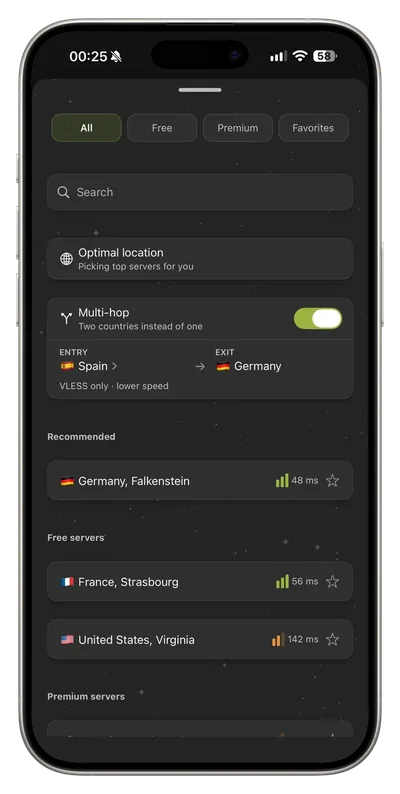
In FollowNet, open the server list and turn on Multi-hop. Choose an entry server, then pick your exit in the list as usual. The card shows the route, for example Spain → France. It is a Premium feature on iPhone and Android and always runs over VLESS, whatever protocol you normally use.
Limits and honest expectations
Traffic travels further, so speed drops and latency rises. Use it when privacy matters more than speed, not for gaming or large downloads. Both servers are run by FollowNet, so multi-hop reduces what one server can see but it is not the same as two independent operators.
Key points
- Free includes a weekly traffic allowance
- Current plan details always appear in the app
Try it today
Free, no card, ready in a couple of minutes.